

PyEditor brings a first-class Python experience directly into SNAP, so you can prototype, run, and ship EO processing workflows without leaving the SNAP ecosystem. Under the hood it embeds a modern Python runtime (GraalPython) and exposes a pythonic wrapper of the SNAP Java API called SnapKit. This lets you build graphs, read/write products, compute new bands, and even interact with SNAP views from Python.
GraalPython is a high-performance implementation of the Python programming language built on the GraalVM ecosystem. It enables seamless interoperability between Python and other languages like Java, JavaScript, and R, making it ideal for polyglot applications.
PyEditor is still in Beta and even though it has been thoroughly tested it is still possible that bugs are present. Also, the API can be further enhanced and extended. Let me know if you find any bugs or if you have suggestions to further improve it. Please report them in the EOMasters issue tracker.
Currently the usable Python packages are limited on WIndows. Native packages currently not available. Packages like numpy, scipy and, matplotlib. But the GraalPython maintainers are working on it. On Linux these packages are already usable.
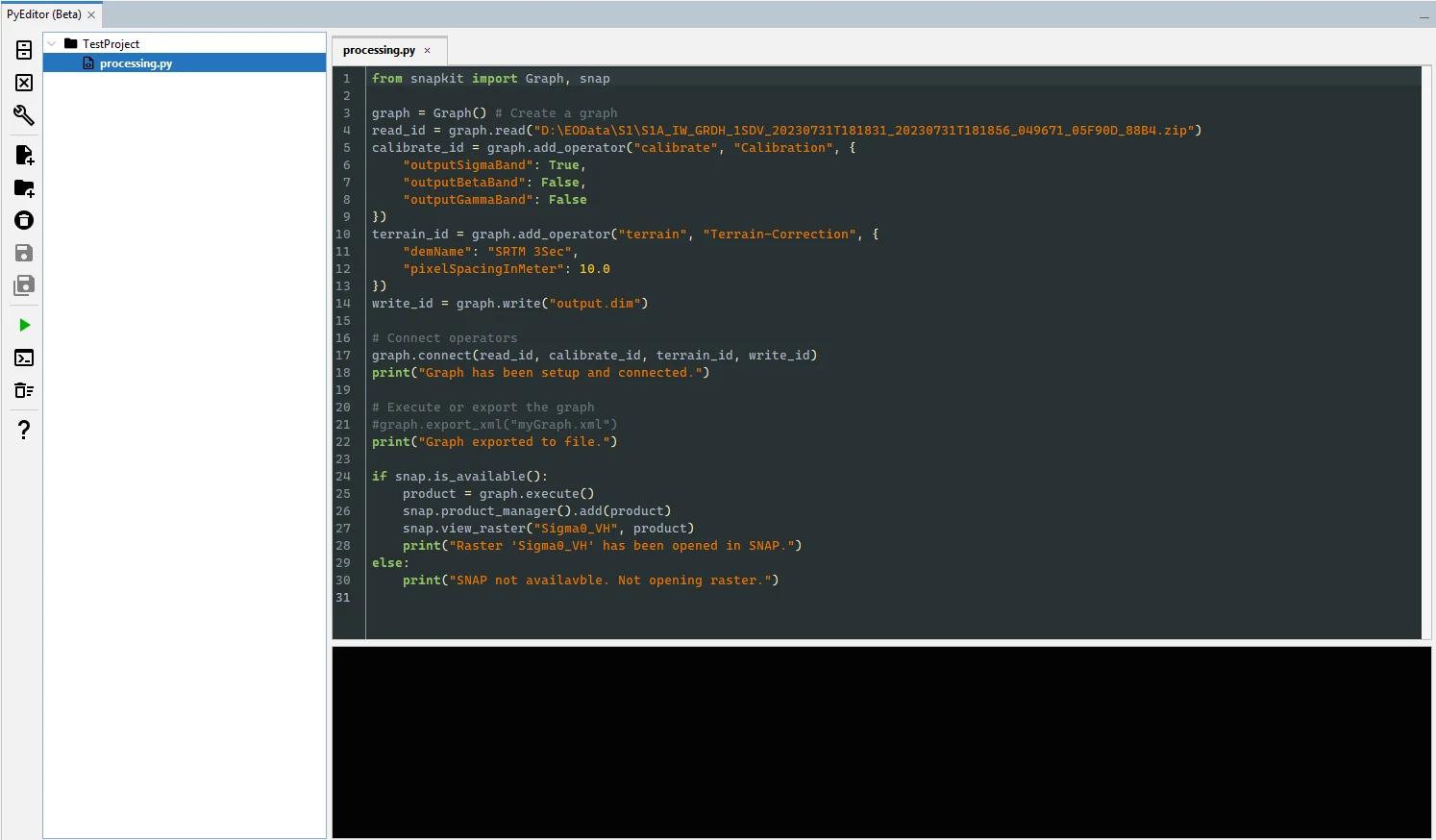
What makes PyEditor interesting for EO developers?
Direct access to SNAP from Python via SnapKit:
Build processing graphs (calibration, terrain correction, etc.).
Read and write SNAP-supported raster formats.
Create and apply computed rasters/bands from Python.
Interact with SNAP UI (open rasters, RGB composites, add products to the manager) when running inside SNAP.
Low-friction setup:
The first run bootstraps a GraalPy installation (it's Python 3.11 runtime embeddable in Java). You’re prompted for an installation directory, and the rest is automated.
Reproducible, headless execution:
Use PyRunner to execute your PyEditor project scripts from the command line for batch or server workloads.
Cross-platform considerations:
Linux: native packages like numpy, scipy, matplotlib can be used.
Windows: native packages currently not available; GraalPy maintainers are working on it.
SnapKit
SnapKit is the pythonic facade around the SNAP Java API. While it does not cover 100% of the Java API yet, the core tasks you need for day-to-day EO work are there: product IO, graph building/execution, and raster computation.
Below are selected examples to illustrate typical EO workflows.
Reading and Writing Products
from snapkit import Product
# read product from disk
product = Product.read('/path/to/product.dim')
# save product to disk
product.saveAs('/path/to/output.tif', 'GeoTIFF')
Working with GPF Graphs
Here at the example of Sentinel-1 calibration + terrain correction
from snapkit import Graph

# Create a graph
graph = Graph()

# Add operators
read_id = graph.read("path/S1/file.zip")
calibrate_id = graph.add_operator("calibrate", "Calibration", {
    "outputSigmaBand": True,
    "outputBetaBand": False,
    "outputGammaBand": False
})
terrain_id = graph.add_operator("terrain", "Terrain-Correction", {
    "demName": "SRTM 3Sec",
    "pixelSpacingInMeter": 10.0
})
write_id = graph.write("output.dim")

# Connect operators
graph.connect(read_id, calibrate_id, terrain_id, write_id)

# Optional: export graph to XML for audit/sharing
graph.export_xml("myGraph.xml")

# Execute and persist
product = graph.execute()
product.saveAs("output.dim", "NetCDF4-CF")
Computing Band Data
NDVI computation with NumPy (currently NumPy is only available on Linux):
from snapkit import SNAP, Raster
import numpy as np

b8 = product["B8"].fetch(geophysical=True)
b4 = product["B4"].fetch(geophysical=True)

b8 = np.asarray(b8, dtype=float)
b4 = np.asarray(b4, dtype=float)

den = b8 + b4
with np.errstate(divide='ignore', invalid='ignore'):
    ndvi_data = (b8 - b4) / den
    ndvi_data[den == 0] = np.nan

ndvi = product.add_band("ndvi", Raster.float64)
ndvi.apply(ndvi_data)
Headless execution with PyRunner
For batch processing and integration into command-line workflows, use PyRunner to execute your PyEditor project scripts without the UI.
Syntax:
snap --pyrun <projectFile> [-F=<pythonFile>]
Parameters:
<projectFile> — Path to your PyEditor project file (see PyEditor Options for the default user projects directory).
<pythonFile> — Optional path to the Python file to execute, relative to the project’s source directory.
Example:
snap --pyrun "C:\snap_code\MyProject\MyProject.scp" -F=processing.py
You can access the user documentation via the SNAP Online Help.
The EOMasters Toolbox Pro is available in the EOMasters Shop. Take advantage of the 14-day free trial of EOMTBX Pro and discover how PyEditor can transform your daily Earth observation workflows. With its seamless integration into SNAP and powerful Python capabilities, PyEditor makes it easier than ever to prototype, automate, and execute EO processing tasks—all without leaving your familiar environment. Start your trial today and let PyEditor do the heavy lifting.
Tschüss & Goodbye
Marco